Core Concepts
Core Concepts
Understanding Pidima's core concepts will help you navigate and use the platform effectively.
Organizational Hierarchy
Pidima uses a structured hierarchy to organize your work:
Organization
└── Accounts
    └── Projects
        ├── Requirements
        │   ├── Levels
        │   │   └── Domains
        │   └── Attachments
        └── Test Cases
Organization
The top-level entity representing your company. All users and data belong to an organization.
Accounts
Business units or departments within your organization. Examples:
- Medical Devices Division
- Automotive Safety Unit
- Aerospace Systems
Projects
Individual products or initiatives within an account. Examples:
- "Next-Gen Pacemaker v2.0"
- "Autonomous Braking System"
- "Flight Control Software 3.1"
Requirements
Specific functional or non-functional requirements for your project. These form the foundation of your testing strategy.
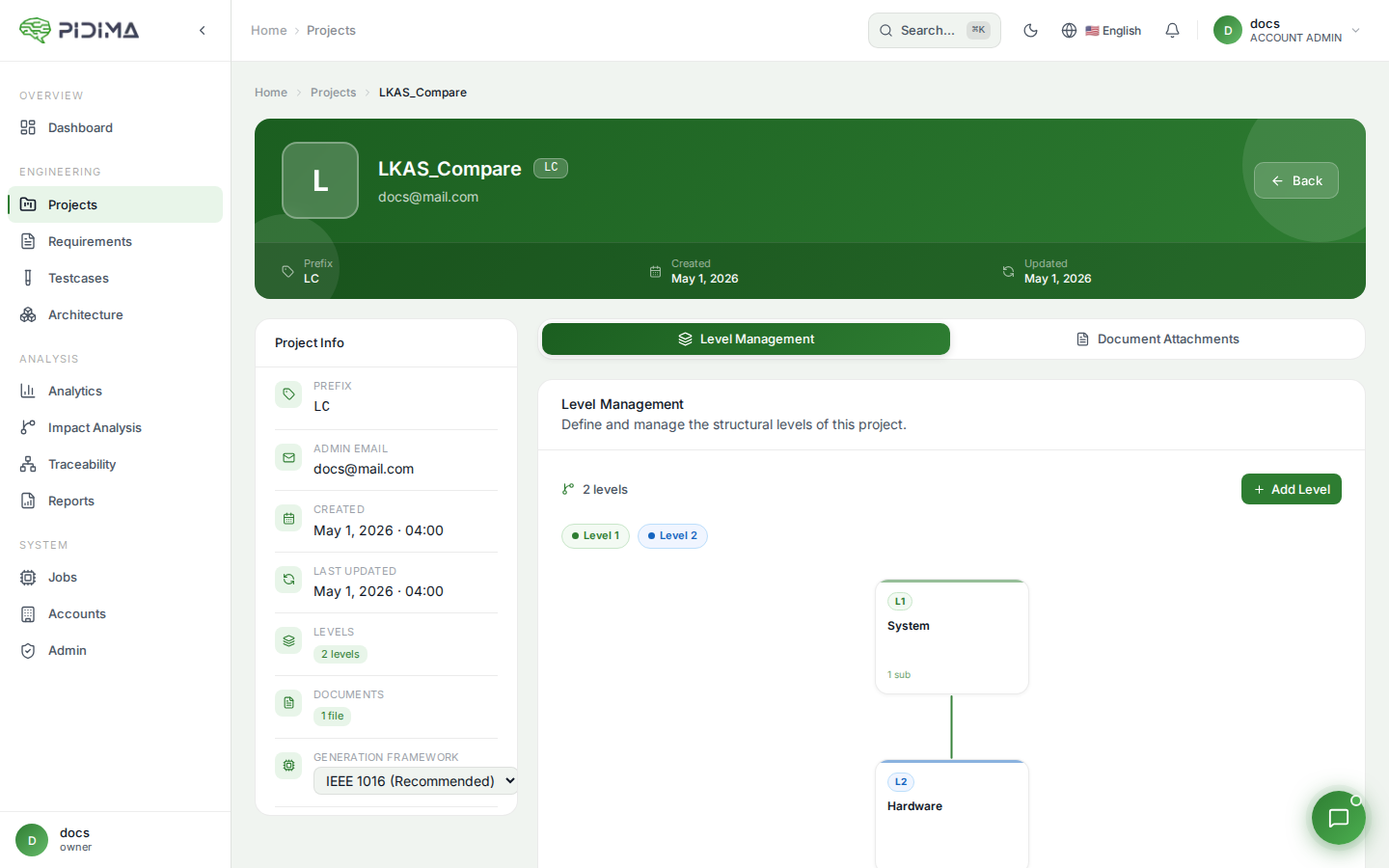
Levels
Hierarchical organization within a project that structures requirements by system architecture. Common levels include:
- Customer Level: End-user requirements and use cases
- System Level: Overall system requirements and architecture
- Hardware Level: Physical component specifications
- Software Level: Software module requirements
Domains
Categories for grouping related requirements within each level. These are domain-specific labels that help organize requirements by functional area, such as:
- Safety
- Performance
- Security
- User Interface
- Compliance
- Integration
Testcases
Detailed testing procedures generated from or linked to requirements. Each test case validates one or more requirements.
Key Terminology
Requirement ID: Unique identifier combining project prefix and number (e.g., MDV-REQ-001)
Test Case ID: Unique identifier for test procedures (e.g., MDV-TC-001)
Coverage: Percentage of requirements that have associated test cases
Traceability: The documented relationship between requirements and test cases
Atomization: Breaking complex requirements into simpler, testable components
Level: Hierarchical organization within a project (e.g., System Level, Component Level)
User Roles
Pidima supports multiple user roles with different permissions:
- Admin: Full system access, user management
- Manager: Project creation, team management
- Engineer: Create and modify requirements/test cases
- Viewer: Read-only access to projects
Workflow Overview
The typical Pidima workflow follows these steps:
- Define Requirements - Import or create project requirements
- Enhance with AI - Use AI to improve requirement quality
- Generate Test Cases - Automatically create test specifications
- Establish Traceability - Link requirements to test cases
- Generate Reports - Export compliance documentation