Navigation & UI
Main Navigation
The Pidima interface is designed for efficiency and ease of use. The main navigation bar provides quick access to all major features:
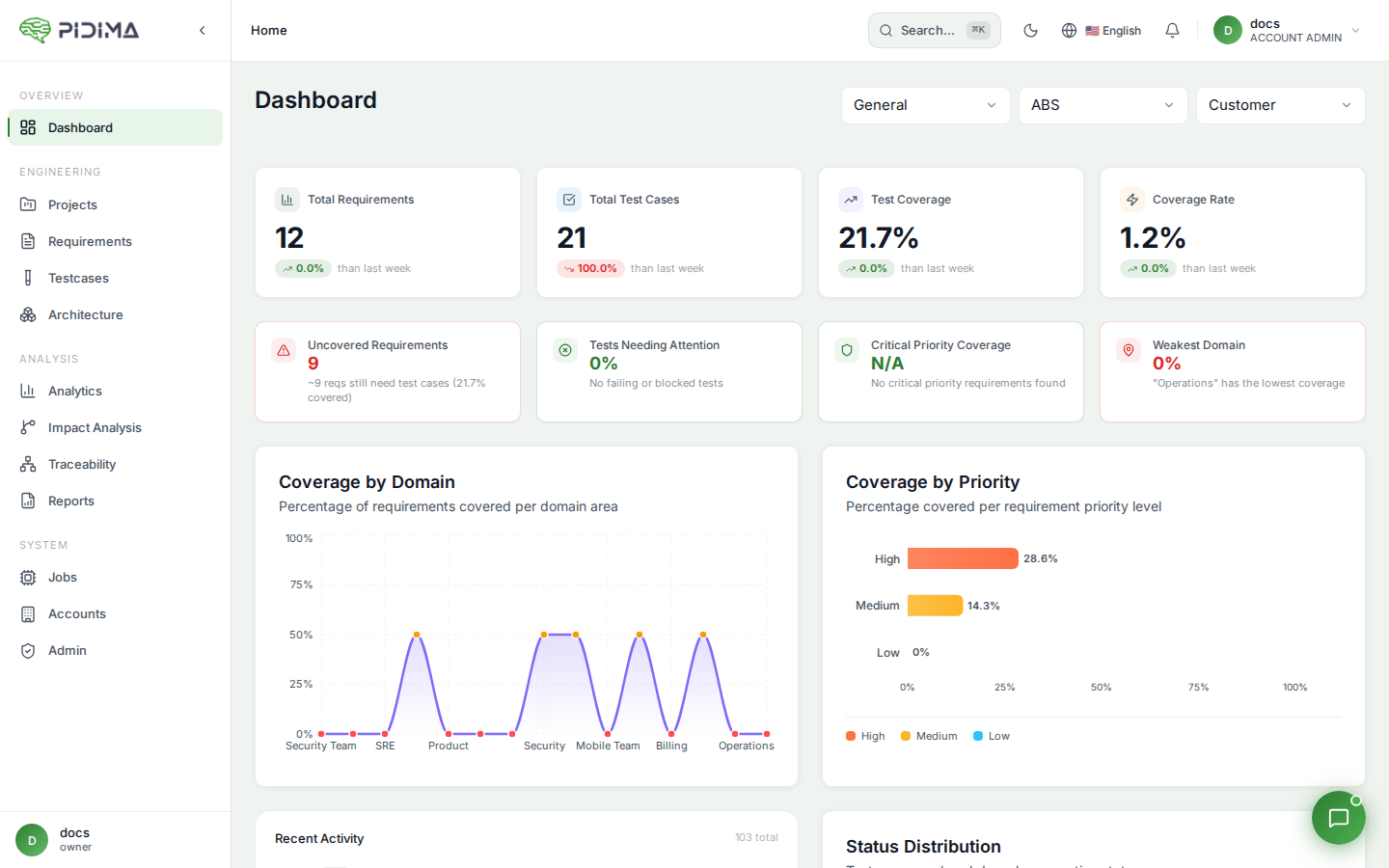
Left Sidebar (Vertical Layout)
- Dashboard - Overview and metrics
- Projects - Project management
- Requirements - Requirement engineering
- Testcases - Test management
- Traceability - Coverage matrix
- Reports - Document generation
Top Bar (Horizontal Layout)
The same navigation items arranged horizontally for wider screens.
Layout Options
Pidima supports two layout modes:
- Vertical: Traditional sidebar navigation (default)
- Horizontal: Top navigation bar
Toggle between layouts using the layout switcher in the top-right corner.
Common UI Elements
Action Buttons
- Primary Actions (Green): Create, Save, Generate
- Secondary Actions (Blue): Edit, Import, Export
- Destructive Actions (Red): Delete, Remove
Status Indicators
- 🟢 Active/Approved/Completed: Item is current and approved
- 🟡 Pending/Draft/In Progress: Awaiting review or completion
- 🔴 Inactive/Rejected/Failed: Requires attention
Filters and Search
- Global Search: Top bar search across all content
- Page Filters: Refine lists by status, date, type
- Quick Filters: One-click common filters
Data Tables
- Sortable Columns: Click headers to sort
- Resizable Columns: Drag borders to resize
- Bulk Actions: Select multiple items for batch operations
Keyboard Shortcuts
Speed up your workflow with these shortcuts:
Ctrl/Cmd + G: Global searchCtrl/Cmd + N: New item (context-sensitive)Ctrl/Cmd + S: Save current itemEsc: Close dialogs/cancel operations