Organizing Testcases
Project and Level Structure
Testcases are organized within Pidima's hierarchical structure:
Project
├── Level (Customer/System/Component)
│   ├── Requirements
│   └── Testcases (linked to requirements)
Each testcase is:
- Linked to one or more requirements via traceability
- Associated with a specific project level
- Automatically named using pattern:
TC_[PROJECT]_[REQUIREMENT]_[NUMBER]
Available Statuses:
- UNDER_REVIEW: Newly generated testcases pending review
- APPROVED: Reviewed and approved for use
Testcases generated by AI automatically start in UNDER_REVIEW status, requiring human validation before approval.
Filtering and Search
Search Capabilities:
- Search Bar: Full-text search across testcase descriptions
- Filter by Level: View testcases for specific project levels (Customer, System, Component)
- Filter by Account: Switch between different accounts
- Filter by Project: Select specific projects
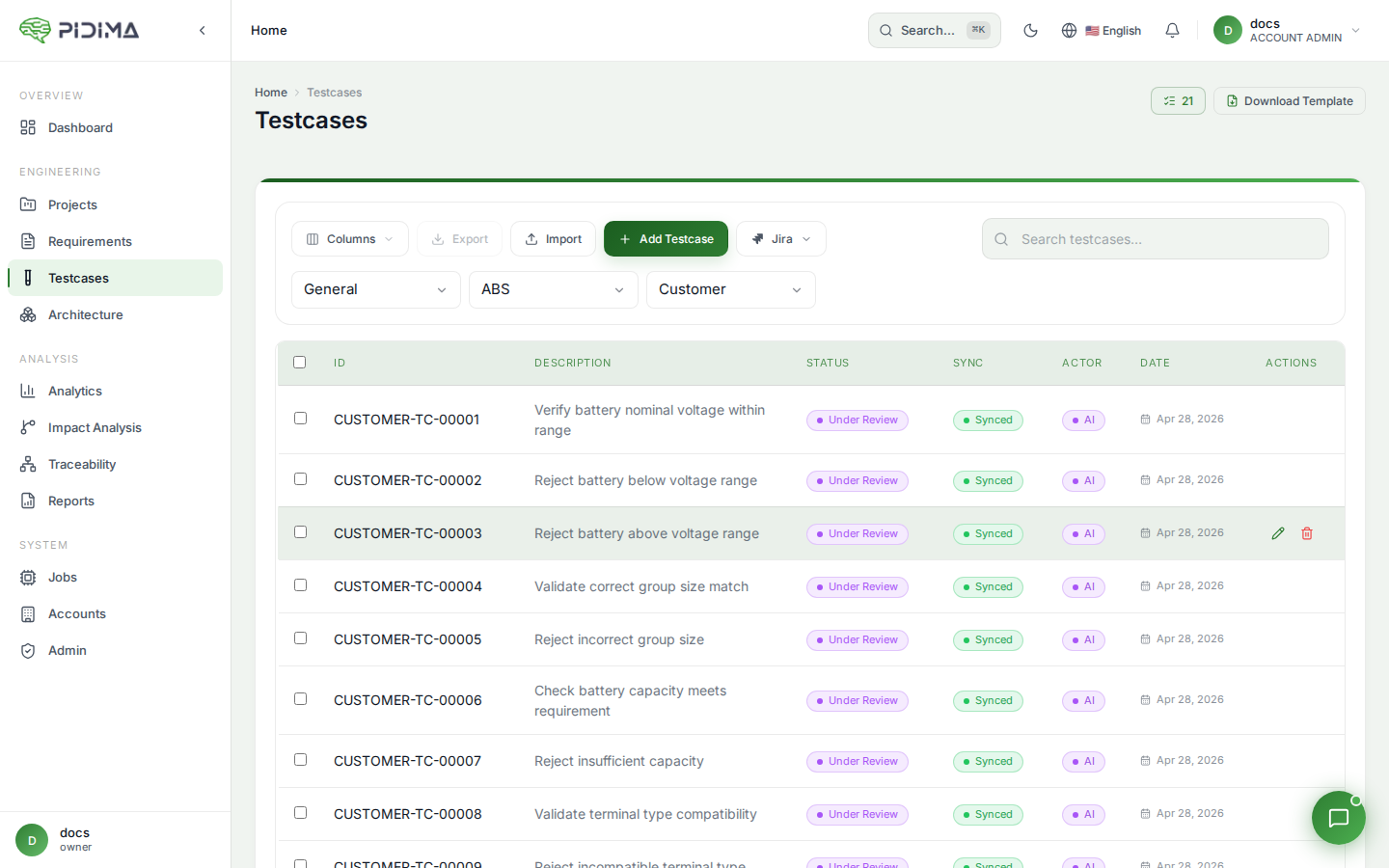
Testcase List View: The main testcases page displays:
- ID: Unique testcase identifier (e.g., TC_TRR_REQ-00016_010)
- Description: Brief summary of what the testcase validates
- Status: Current testcase status
- Created Date: When the testcase was generated or created
- Actions: Edit and delete options