Creating Testcases
Creating a New Testcase
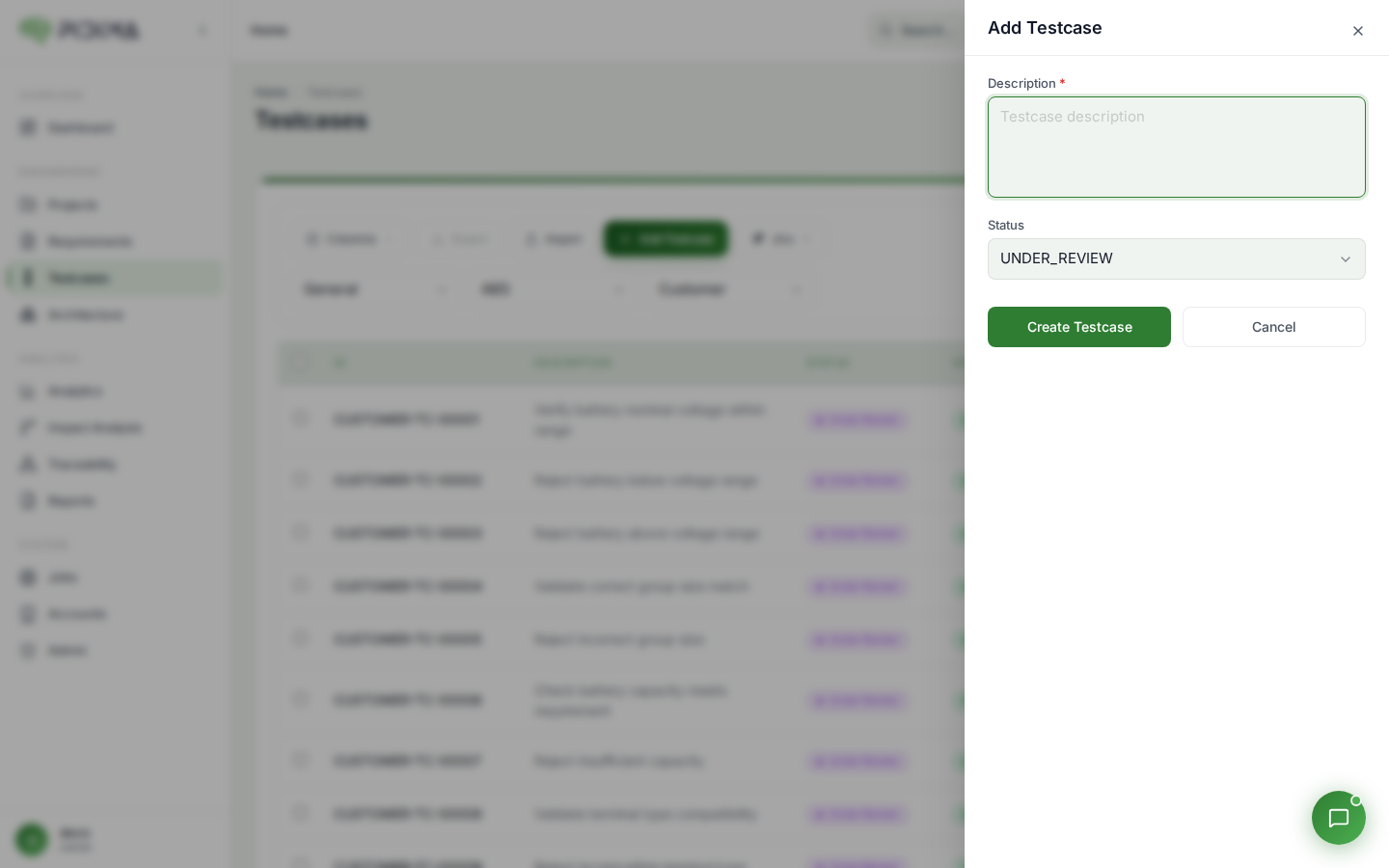
Click "Add New Testcase" to open the creation modal where you provide:
- Description: Brief summary of what the testcase validates
- Status: Initial status (defaults to UNDER_REVIEW)
After clicking Submit, the testcase is created and you're taken to the details page to add the complete test information.
Testcase Details Page
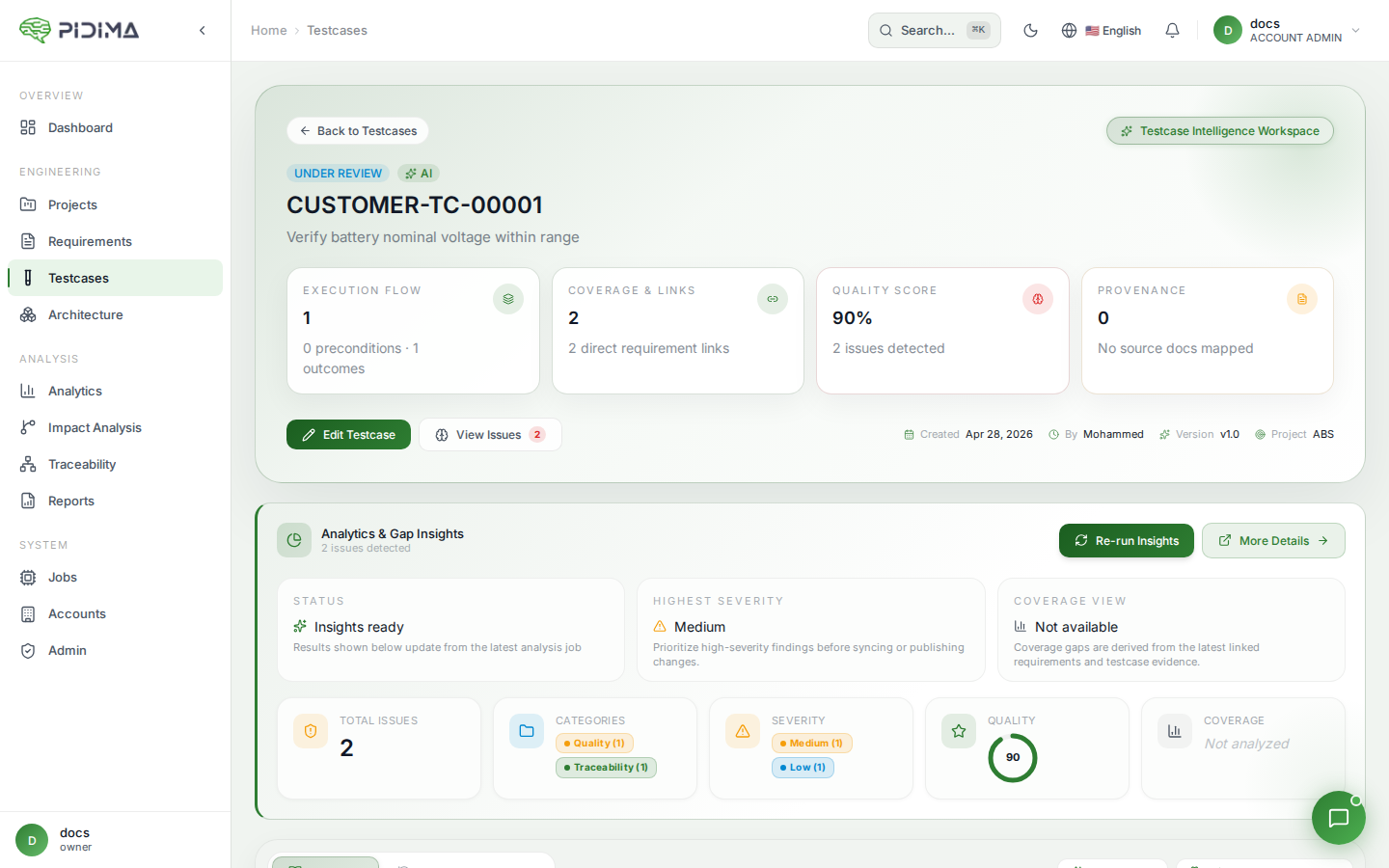
The testcase details page provides comprehensive management of all testcase components:
Header Information:
- Testcase ID (e.g., TC_TRR_TRR-REQ-00016_010)
- Quick action buttons for editing and bookmarking
Details Section:
- Name: Auto-generated testcase identifier
- Created At: Timestamp of creation
- Created By: User who created/generated the testcase
Status Management:
- Current status display with edit capability
- Available statuses:
- UNDER_REVIEW: Default for new/generated testcases
- DRAFT: Work in progress
- APPROVED: Ready for execution
- OBSOLETE: Outdated/deprecated
Description:
- Detailed explanation of the testcase purpose
- What functionality or requirement it validates
Coverage:
- Associated Requirements: Shows linked requirement IDs
- Click requirement links to navigate to source requirements
- Maintains full traceability
Adding Testcase Components
After initial creation, add detailed test information on the details page:
Preconditions Section:
- Click "+" button to add preconditions
- List all setup requirements:
- System configurations
- Data prerequisites
- Environmental setup
- Each precondition shows:
- Description text
- Created timestamp
- Edit action button
Steps Section:
- Click "+" button to add test steps
- Define sequential execution steps:
- User actions
- System interactions
- Data inputs
- Each step displays:
- Step description
- Created timestamp
- Edit action button
Outcomes Section:
- Click "+" button to add expected outcomes
- Specify success criteria:
- Expected system responses
- Data validations
- Result verifications
- Each outcome shows:
- Outcome description
- Created timestamp
- Edit action button