Requirement Workflows
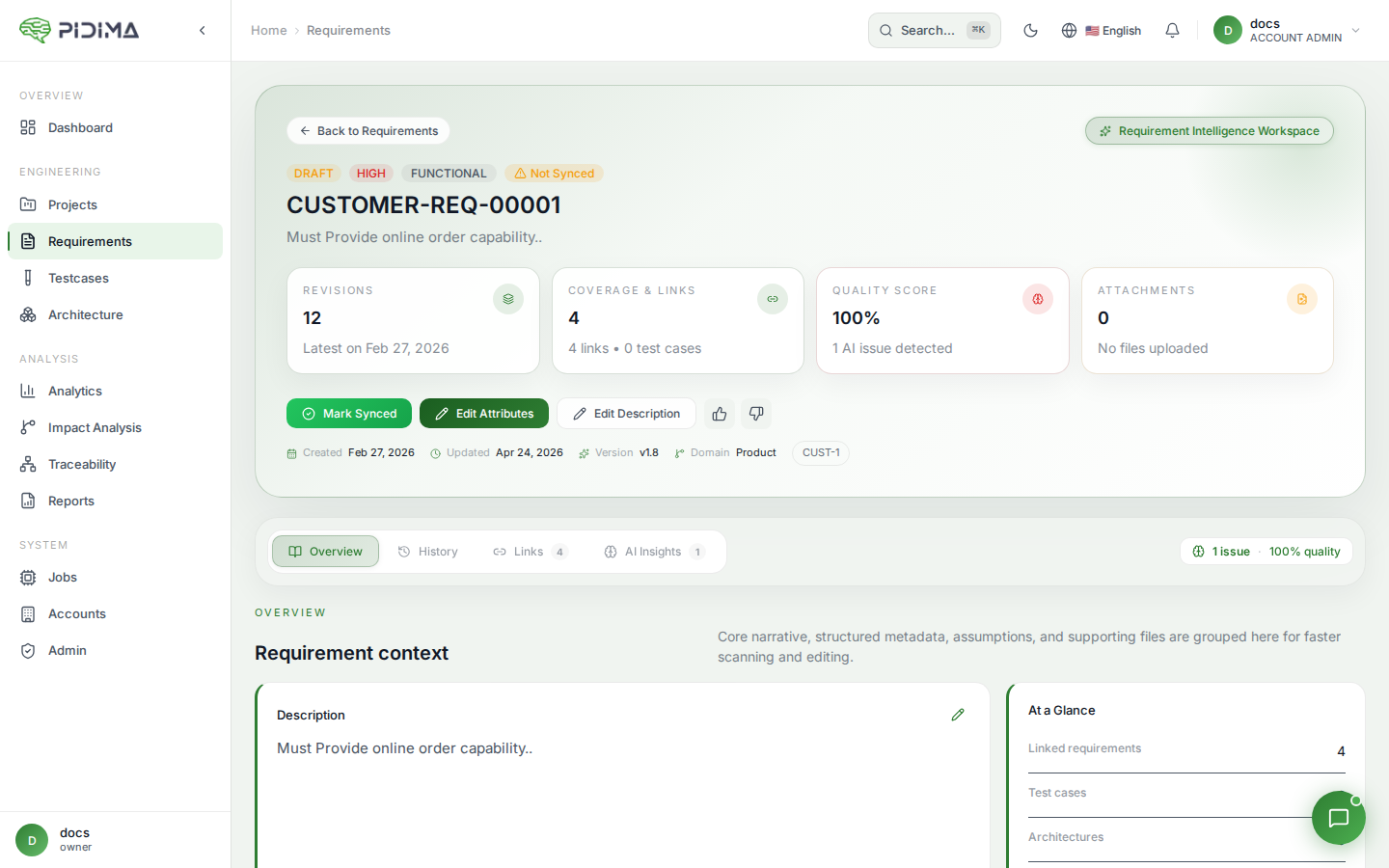
Pidima supports structured workflows for requirements including approval processes, multi-language translations, and atomization into sub-requirements.
Approval Workflow
Requirements can go through a formal approval process to ensure quality and sign-off before downstream activities (test generation, architecture design).
Statuses
| Status | Description |
|---|---|
| Draft | Initial state — requirement is being authored |
| Under Review | Submitted for review by stakeholders |
| Approved | Formally approved — ready for test generation and design |
| Rejected | Returned with feedback for revision |
Approving a Requirement
- Navigate to the requirement's detail page
- Click Approve
- The requirement status changes to Approved
- Downstream activities (test generation, architecture linking) can proceed
Rejecting a Requirement
- Navigate to the requirement's detail page
- Click Reject
- The requirement status changes to Rejected
- The author can revise and resubmit for review
Translations
Pidima supports multi-language requirement descriptions, enabling teams working across language boundaries to maintain requirements in multiple languages simultaneously.
Adding a Translation
- Navigate to a requirement's detail page
- Click Translations → Add Translation
- Select the target language
- The AI generates a translation of the requirement's name and description
- Review and edit the translation as needed
- Save
Managing Translations
- View translations — See all available translations for a requirement
- Edit — Modify a translation manually
- Delete — Remove a translation for a specific language
- AI-powered — Translations are generated using the AI model, maintaining technical accuracy
Supported Languages
Translations support any language the configured LLM model can handle. Common use cases include English ↔ German, English ↔ French, English ↔ Japanese for international engineering teams.
Atomization
Atomization breaks complex, compound requirements into smaller, testable atomic sub-requirements.
When to Atomize
- Requirements containing multiple "and" or "or" statements
- Requirements covering multiple functions or behaviors
- Requirements that are difficult to write a single test case for
- Requirements that span multiple domains
How to Atomize
- Navigate to a requirement's detail page
- Click Atomize (or use Requirements Assist → Make Atomic)
- The AI analyzes the requirement and splits it into atomic sub-requirements
- Each atomic requirement:
- Covers a single testable behavior
- Links back to the parent requirement
- Inherits the parent's domain, priority, and type (adjustable)
- Review the generated atomic requirements
- The parent requirement is marked with an "atomized" indicator
Viewing Atomic Requirements
- On the parent requirement's detail page, see all atomic sub-requirements
- On an atomic requirement's page, see a link back to its parent
- Filter the requirements list to exclude atomic requirements if needed (
excludeAtomicfilter)
Version History & Revisions
Every change to a requirement is tracked:
Automatic Revisions
Revisions are created automatically when:
- A compliance suggestion is applied
- An impact analysis sync updates the description
- The requirement is atomized
Manual Revisions
- View the full revision history on the requirement detail page
- Compare revisions to see what changed
- Promote a revision — Restore a previous version as the current description
- Edit revisions — Update revision metadata
- Delete revisions — Remove unwanted revision entries
Sync/Unsync Status
Requirements display a synchronization indicator showing whether they're up-to-date with their source:
| Status | Meaning |
|---|---|
| Synced | Requirement is consistent with its source (document, parent, Jira issue) |
| Unsynced | The source has changed and the requirement may need updating |
Marking as Synced
After reviewing an unsynced requirement and confirming it's still valid:
- Navigate to the requirement
- Click Mark as Synced
- The sync indicator updates
Unsynced status is set automatically by:
- Impact Analysis (when a parent requirement changes)
- Document version updates (when the source document is re-processed)
- Jira webhooks (when the linked Jira issue changes)
Best Practices
- Establish a review workflow — Use Draft → Under Review → Approved as a gate before test generation
- Atomize early — Break compound requirements into atomic ones before generating tests for better coverage
- Keep translations updated — When the source requirement changes, regenerate translations
- Use revisions for audit — The revision history provides a complete audit trail of requirement evolution
- Monitor sync status — Regularly check for unsynced requirements to catch drift early