Generate Tests
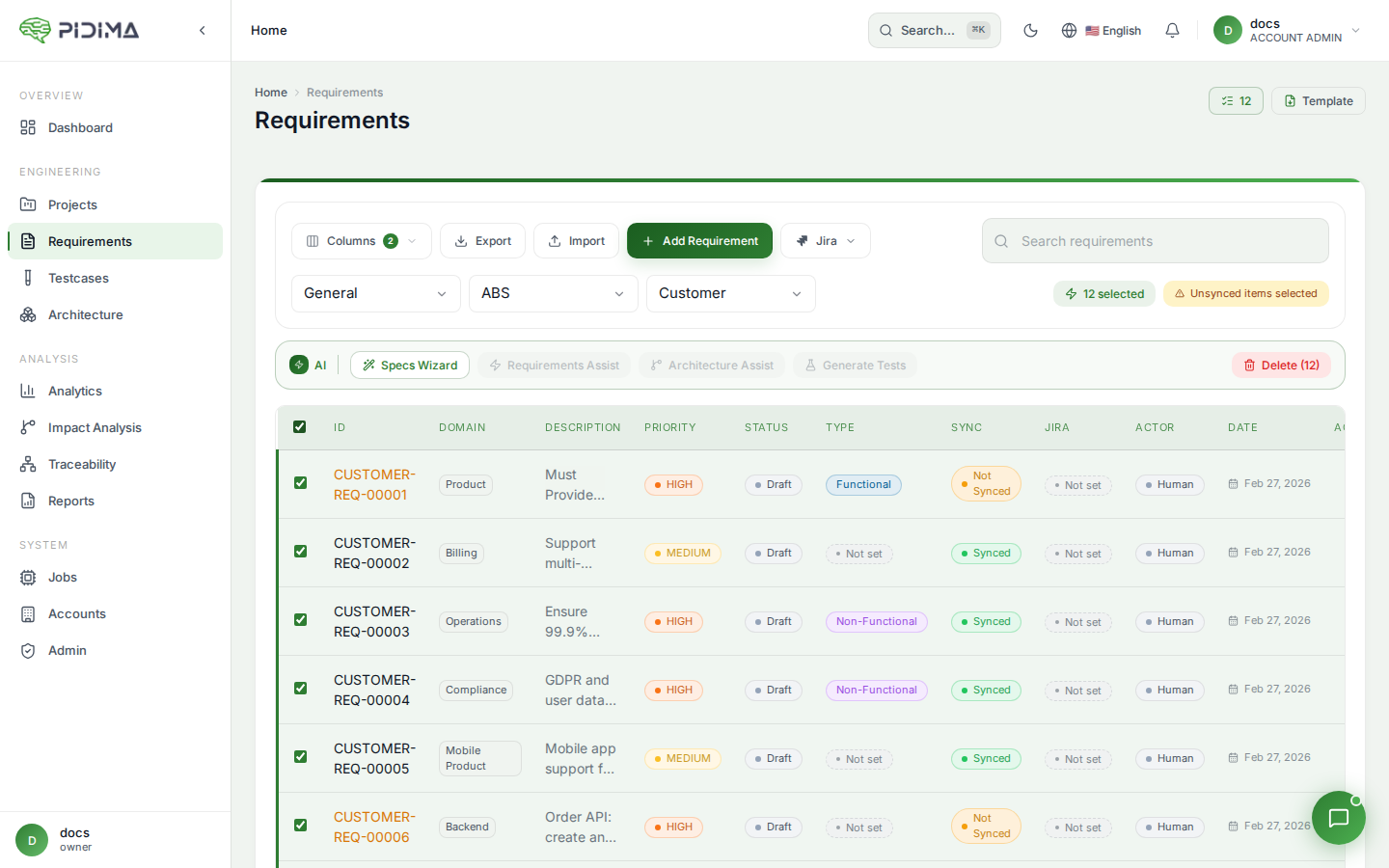
Pidima's AI-powered test generation automatically creates comprehensive test cases from your requirements, maintaining full traceability and avoiding duplication with existing tests.
Overview
Generate Tests analyzes your requirements — individually or in bulk — and produces structured test cases with descriptions, preconditions, step-by-step procedures, and expected outcomes. The generation considers your project's document context and existing test cases to produce relevant, non-redundant tests.
Generating Test Cases
From a Single Requirement
- Navigate to a requirement's detail page
- Click Generate Tests
- The AI analyzes the requirement and generates one or more test cases
- Generated test cases appear linked to the source requirement
Bulk Generation
- Navigate to the Requirements list
- Select requirements using checkboxes, or use Select All for the entire level
- Click Generate Tests
- The generation runs asynchronously — monitor progress in the jobs panel
- You receive an email notification when generation completes
How It Works
Sliding Window Processing
Requirements are processed in context groups rather than individually. The AI uses a sliding window approach that considers neighboring requirements together, producing test cases that account for interactions between related requirements.
Deduplication
Before creating test cases, the AI checks for:
- Existing test cases — Requirements that already have linked test cases are considered; the AI avoids generating redundant tests
- Cross-requirement duplicates — When generating for multiple requirements, the AI removes duplicate or overly similar test cases across the batch
Document Context
If your project has uploaded specification or compliance documents, the AI uses them as additional context to generate more accurate and domain-specific test scenarios.
Generated Test Case Structure
Each generated test case includes:
| Field | Description |
|---|---|
| ID | Auto-generated following the pattern TC_PROJECT_REQ-XXX_NNN |
| Name | Descriptive test case name |
| Description | What the test validates |
| Preconditions | Setup required before execution |
| Steps | Numbered step-by-step test procedure |
| Expected Outcomes | What constitutes a pass for each step |
| Status | Set to "Under Review" by default |
| Traceability | Automatically linked to the source requirement |
Managing Generated Tests
Generated test cases start in Under Review status. Review them to:
- Verify accuracy and completeness
- Adjust steps or expected outcomes for your specific environment
- Approve or reject individual test cases
- Add additional test cases manually if gaps are identified
Triggering via API
POST /api/v1.0/testcases/generate
Request body includes the requirement IDs and project context. The generation runs asynchronously and returns a job ID for status tracking.
Best Practices
- Generate after requirements are stable — Run test generation after requirements have been reviewed and approved to avoid rework
- Upload documents first — Provide specification documents as context for more accurate test scenarios
- Review all generated tests — AI-generated tests should be validated by domain experts before execution
- Generate incrementally — When adding new requirements, generate tests for just the new ones rather than regenerating everything
- Use with Gap Analysis — After generation, run Gap Analysis to verify coverage adequacy
- Combine with Impact Analysis — When requirements change, Impact Analysis identifies which test cases need updating rather than regenerating from scratch