Requirements Assist
Pidima's AI engine is specifically trained for requirements engineering and test generation in regulated industries. The AI understands industry standards, technical terminology, and best practices for requirement writing and test case creation.
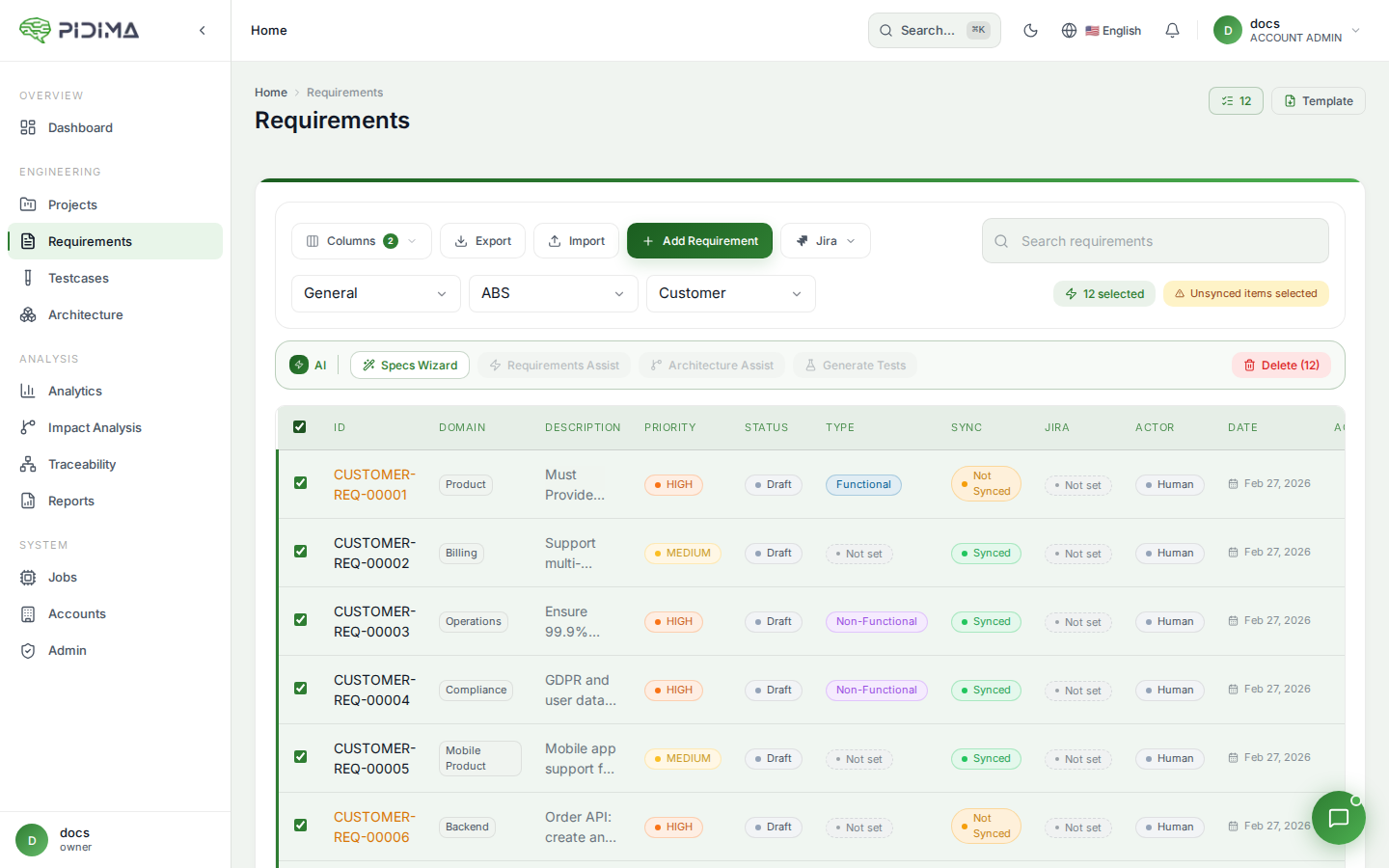
Access AI-powered tools by clicking "Requirements Assist" from the Requirements page. This opens a modal with multiple AI operations:
Autofill Missing Fields
Automatically complete missing requirement attributes using AI analysis:
- Select requirements with incomplete fields (or let it find them automatically)
- Click Requirements Assist → Select "Autofill"
- Choose which fields to auto-complete:
- Type: Determines if requirement is Functional or Non-functional
- Domain: Assigns appropriate functional domain based on content
- Priority: Sets priority level (Low, Medium, High, Critical)
- Click Submit to start the async process
The AI analyzes requirement descriptions and any associated documentation to intelligently fill missing values. You'll receive an email when the process completes.
mg/screenshots/requirements-assist.png)$/d
Rewrite Requirements
Transform requirements for improved clarity, testability, and compliance:
- Select requirements to rewrite
- Click Requirements Assist → Select "Rewrite Requirement"
- Choose rewrite action:
- Enhance: Improve clarity, add details, ensure testability
- Make Atomic: Split compound requirements into single testable units
- Enhance with Prompt: Apply custom transformation instructions
- For atomic splitting, choose how to handle originals:
- Auto-Approve new requirements
- Keep Original unchanged
- Mark Original Obsolete
- Delete Original
- Optionally select specific documents for context
- Click Submit
mg/screenshots/requirements-assist.png)$/d
Enhance with Prompt
For custom transformations:
- Select "Enhance with Prompt"
- Enter your transformation instructions (e.g., "Make the language more scientific and provide concrete measurements where possible")
- Optionally select reference documents
- Click Submit
mg/screenshots/requirements-assist.png)$/d
Level Generation
Generate derived requirements across hierarchy levels:
- Select source requirements at one level (e.g., Customer level)
- Click Requirements Assist → Select "Level Generation"
- Configure generation:
- Source Level: The level containing source requirements
- Target Levels: Select one or more target levels (System, Subsystem, etc.)
- Click Submit
The AI generates appropriate derived requirements for each target level, maintaining traceability to source requirements. For example, a customer requirement might generate multiple system-level requirements, each addressing specific technical aspects.
mg/screenshots/requirements-assist.png)$/d
Translation Services
Translate requirements to multiple languages while preserving technical accuracy:
- Select requirements to translate
- Access translation through Requirements Assist
- Choose target languages from 20+ supported languages
- Submit for translation
mg/screenshots/requirements-assist.png)$/d
The AI maintains:
- Technical terminology accuracy
- Compliance terms precision
- Context and intent preservation
- Version control for each language